 FarryOn
Your plan
Every account starts with a free trial. When you need more, pick a plan in the app and pay securely by card. Here's how to see what you've used and how to upgrade.
1See your plan and usage
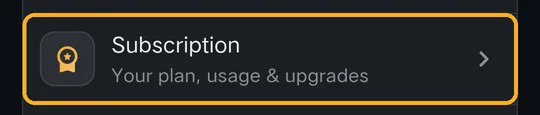
Open the menu ⋯ → Settings. Under Account, tap Subscription:
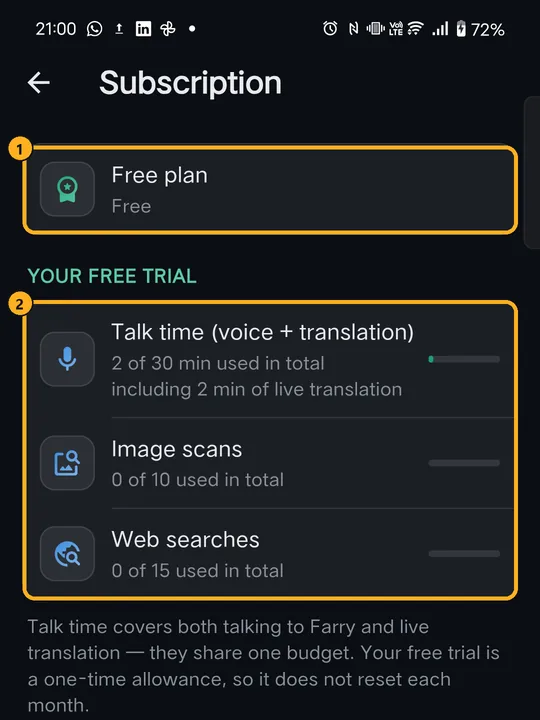
- Talk time — minutes talking to Farry and using live translation. They share one budget.
- Image scans — each time Farry looks at a photo (“what is this?”).
- Web searches — each time Farry searches the internet for you.
2Compare the plans
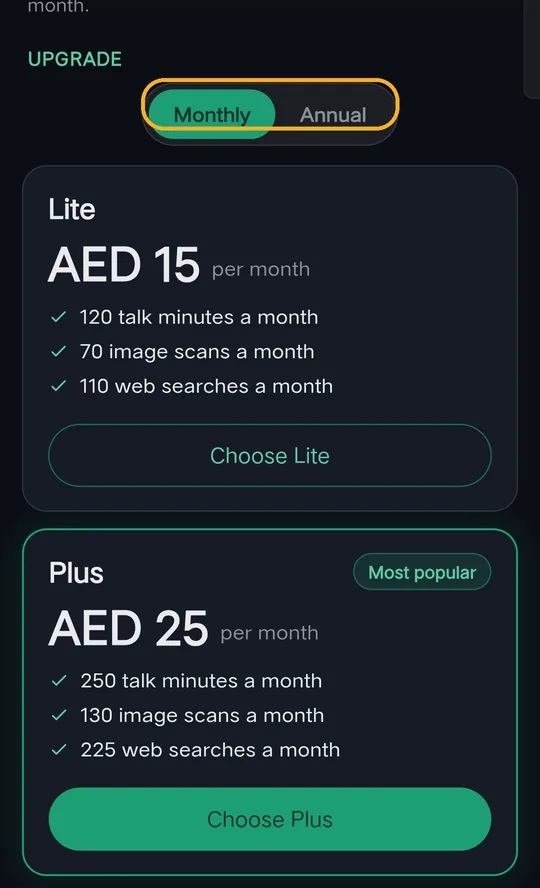
Scroll down to Upgrade. There are three plans:
| Plan | Each month |
|---|---|
| Lite | 120 talk minutes · 70 image scans · 110 web searches |
| Plus (most popular) | 250 talk minutes · 130 image scans · 225 web searches |
| Pro | 400 talk minutes · 240 image scans · 400 web searches |
Prices are shown in your local currency. The screenshots show UAE prices (AED).
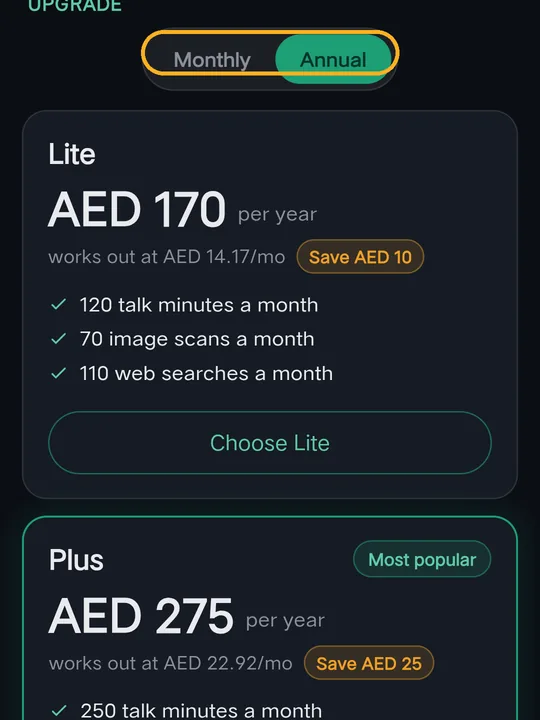
Tap Annual to pay for a year at once. Each plan shows what it works out to per month and how much you save.
Where a plan is a one-time payment (for example in India), it says “One-time payment · no auto-renew” — it covers the period shown and doesn't renew by itself.
3Upgrade
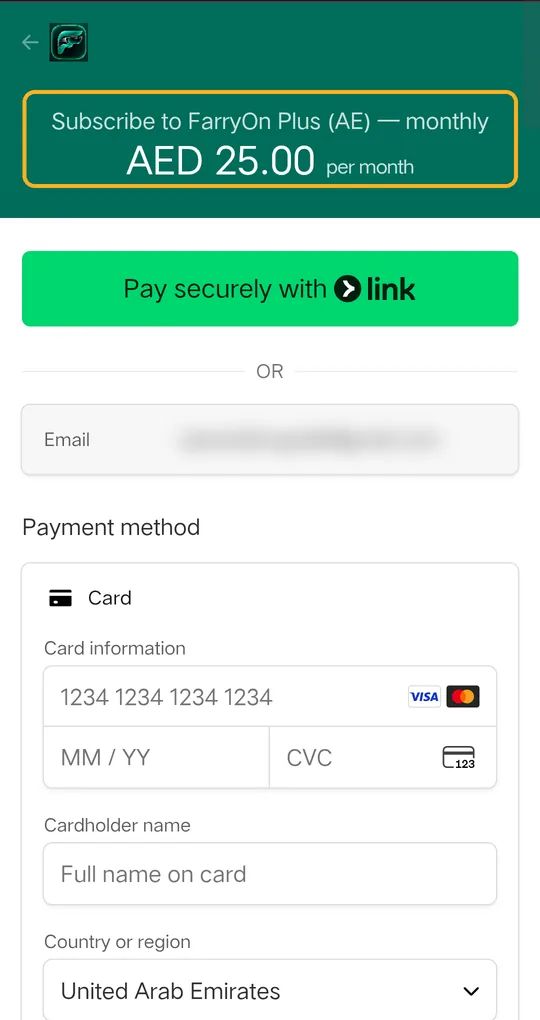
- Tap Choose Lite, Choose Plus or Choose Pro.
- A secure payment page opens in your browser, run by Stripe (address starts with
checkout.stripe.com). Check the plan and price at the top. - Enter your card details — or use Link, Google Pay or Apple Pay if offered — and confirm.
- Go back to FarryOn. Your new plan shows on the Subscription page within a minute.
4When you run out
- When your talk time is used up, Farry tells you, and you can upgrade from the Subscription page.
- On a paid plan, your allowance refills at the start of each billing month.
- Notes, reminders and past chats are never deleted because of your plan.
Cancel your plan
Settings → Subscription → Cancel subscription. Your plan keeps working until the end of the period you've paid for, and you aren't charged again. Changed your mind before then? The same place shows Keep my subscription, and it renews as before.
To move to a different plan, message us on WhatsApp.
?If something goes wrong
| What you see | What to do |
|---|---|
| Plans say “Coming soon” | Payments aren't switched on in your region yet. Your free trial keeps working. |
| I paid but still see the Free plan | Wait a minute and reopen Subscription. Still Free? Message us with the email on your receipt. |
| The payment page won't load | Pull down to reload, check your internet, or tap Choose again. |
| Card declined | Try another card, or ask your bank to allow online payments. |
Still stuck? Message us on WhatsApp — a real person answers.
Sat–Thu, 10:00–19:00 GST